Early Adopters Sale - and FREEBIES! — 30% off all plugins! Shop Now →
Learning Hub / Tutorials

Video Tutorials

Liquid Feedback — Step-by-step guides to help you master this effect

View Documentation

How-To Tutorials

3 videos

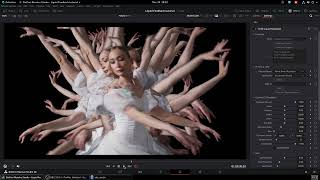
Liquid Feedback tutorial Part 1: The Basics - Presets & Feedback Controls

Liquid Feedback tutorial Part 1: The Basics - Presets & Feedback Controls

A quick tour of the factory presets, then a deep dive into the Quantel/CVI/Feedback controls: Feedback Amount, Zoom, Rotation, Shift, Hue Shift, Saturation Boost, Blur, Strobe Interval, and more.

Part 2: Swirl Effects - Organic, Animated Displacement

Part 2: Swirl Effects - Organic, Animated Displacement

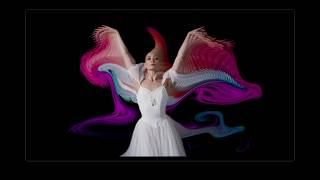
In this tutorial, we'll go over the Swirl section of the UI. The Swirl section turns your feedback trails into flowing, liquid forms. Swirl Strength, Frequency, Speed, Detail, Warp, and Luma Expand - how they interact, and how to get smoky, painterly, and psychedelic results.

Liquid Feedback Part 3:Free users: Key Your Subject with the built in Luma Keyer without Magic Mask.

Liquid Feedback Part 3:Free users: Key Your Subject with the built in Luma Keyer without Magic Mask.

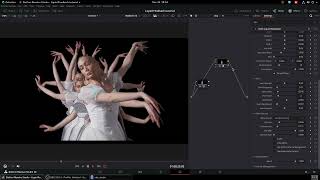
How to use the built-in luma keyer to control what makes trails — works without Magic Mask, so free Resolve users can get great results too. Clip Low, Softness, View Alpha, and tips for keying subjects over dark backgrounds.

Looking for written documentation?

Check out the detailed parameter reference and installation guides.

View Documentation